The LinkedIn Playbook for Event Organizers
The eight-week plan for your event on LinkedIn: clear tasks for organizers, speakers, team and guests, plus eight ready-made texts for email, posts and chat. Free as a PDF, no sign-up.
A look inside the PDF
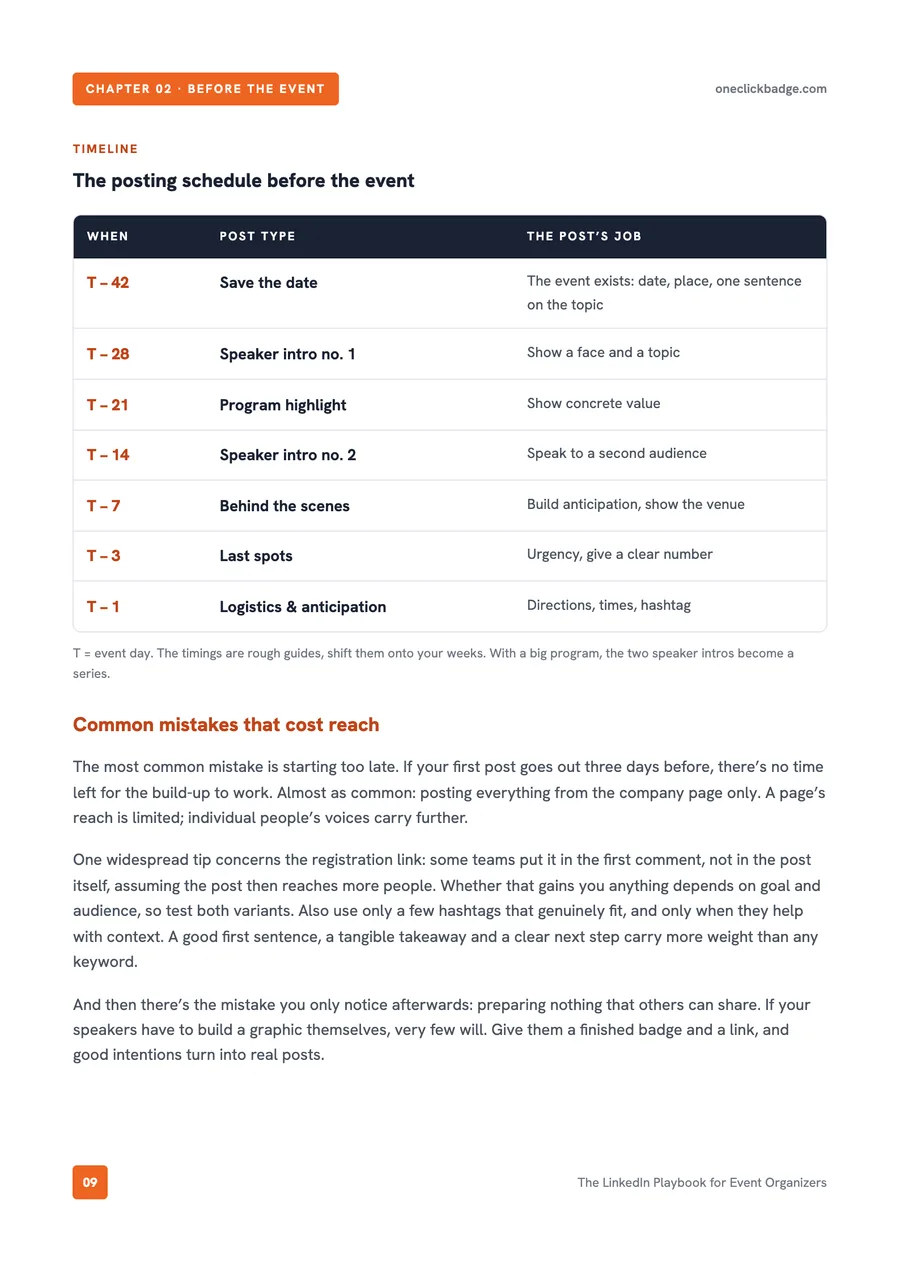
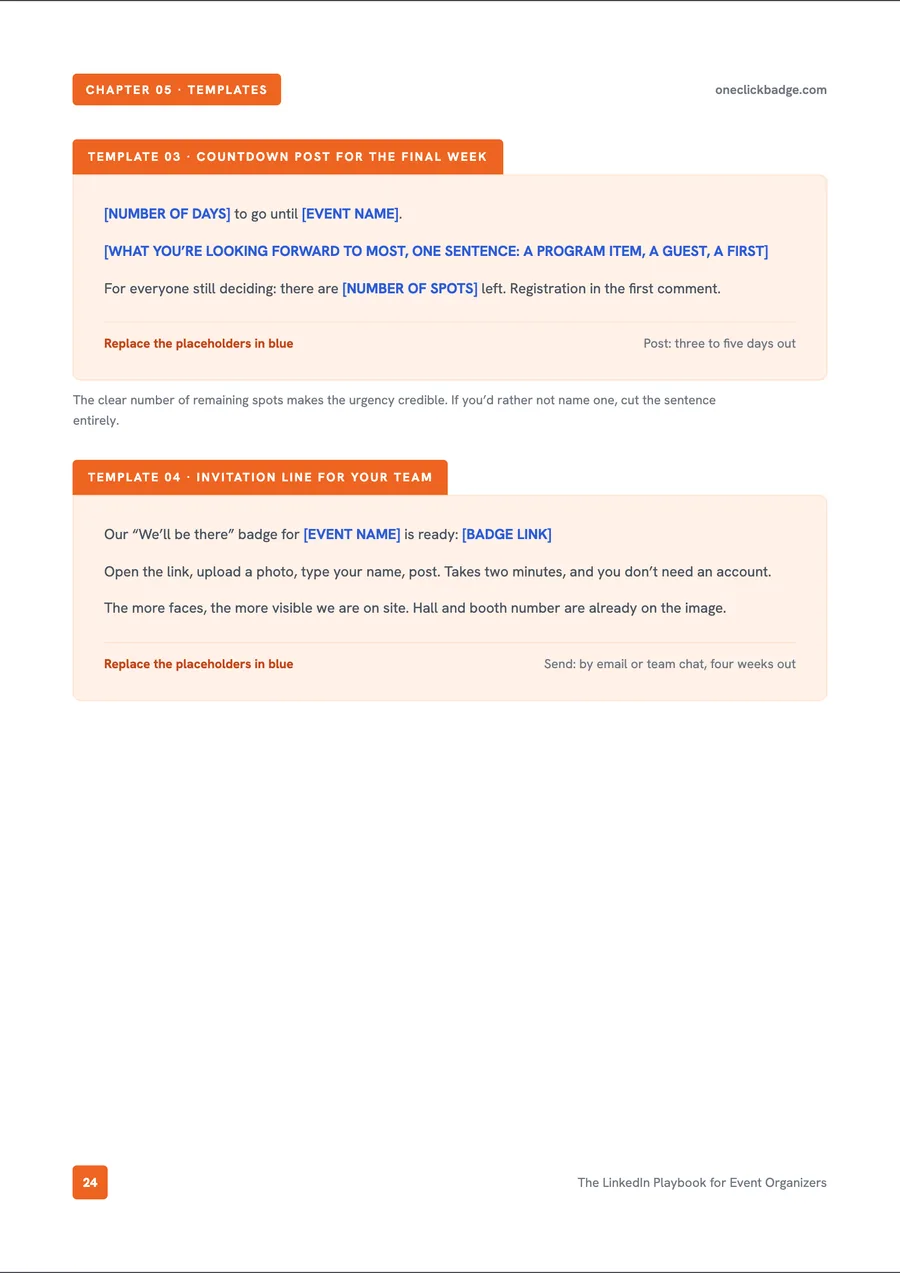
So you know what to expect: two pages from the playbook, the posting schedule before the event and one of the eight ready-made templates.
What’s inside
The playbook takes the planning off your hands: it says who posts what and when, and puts the matching texts right next to it. Your event grows across the networks of your speakers and guests as you go, and the article on the network effect in event marketing works out openly why this lever carries so much weight.
- An editorial plan across eight weeks, from save-the-date to recap
- Five roles with clear tasks, from the event page to the individual guest
- Eight ready-written texts, from the confirmation email to the recap post
- A checklist to tick off
- Separate flows for conference, trade fair, webinar and training
- A model calculation for reach, with its assumptions spelled out
How the plan is paced
Every step hangs on your event date, and you work through the plan from top to bottom. The timings are guides: a large conference turns them into a whole series, while a webinar takes only the pieces that fit. What matters is the order behind them: attention first, then a concrete benefit, urgency just before the date, and the recap afterward.
| When | What to do |
|---|---|
| Six weeks out | Publish the save-the-date |
| Four weeks out | Introduce the first speakers, hand out team badges |
| Three weeks out | Show a program highlight with a concrete benefit |
| Two weeks out | Make more speakers and their audiences visible |
| One week out | Give a look behind the scenes |
| Three days out | Countdown and the last remaining seats |
| The day before | Post arrival details, times and last-minute info |
| Event day | Share live moments, quotes and impressions |
| Evening, day 0 | Thank-you post with the strongest image of the day |
| Days 1 to 2 | Send attendance certificates to everyone |
| Days 2 to 4 | Thank speakers one by one, by name |
| Days 4 to 7 | Recap with the key takeaways |
| Days 7 to 14 | Share slides, the recording and the next date |
Eight templates, one in full
The editorial plan is set, but the email to your speakers is still missing. Or the webinar ends in five minutes and no one has the message for the chat ready. For moments like these, eight building blocks are on hand, each with clear placeholders for event name, date and links.
- Confirmation email to speakers with a badge link
- Reminder without the nagging, two to three weeks out
- Countdown post for the final week
- Invitation line for your team or booth staff
- Thank-you post for the evening of the event
- A framework for the detailed recap
- Message for the meeting chat in a webinar
- Follow-up email with recording and certificate
Here is how the first block reads:
Great to have you on board! We’ve prepared a speaker badge for you, so you can announce your talk if you like:
[BADGE LINK]

Upload a photo, type your name, done. It takes about two minutes and needs no account.

If you write something to go with it: tell people what you’ll be speaking about. One sentence on your topic does more than any announcement from us.
For your format
The flow adapts to your format. The playbook names the steps that really count for each kind of event.
For conferences, speaker announcements, a visible program and reaching attendees again come first. How to get speakers posting on their own is covered under Get speakers to post.
At trade fairs, you equip your booth staff with “We’re attending” badges and name your hall, booth number and live demos. More on that in Your trade-fair presence on LinkedIn.
For webinars, live quotes, a certificate in the meeting chat and the next-day recording count. Training courses live on proof: you hand out attendance certificates at the right moment and prepare the entry for the profile.
Take it into your team meeting
Download the PDF and pass it to everyone involved in your event marketing. That way the whole team works from the same plan.
Where OneClickBadge comes in
The plan works with the tools you already have. OneClickBadge takes the work off your hands wherever speakers, team or guests are meant to share something themselves.
You design a badge in the look of your event and send out one shared link. Each person adds their photo and name in their own browser and downloads their finished image, with no account.
After the event, handing out attendance certificates works in a similar way: as the organizer you set up the certificate type once and share a redemption link, and attendees enter their own name and get their personal verification page.
You can now optionally group several badges on a selection page. The event dashboard adds guest pages, link previews and the roadmap. It is also where you set up certificate types.
Related
Frequently asked questions
- Is the playbook really free?
- Yes. You download the complete PDF directly. It needs no sign-up and no email address.
- Do I need OneClickBadge to use the plan?
- No. The schedule, the roles and the text templates work with the tools you already have. OneClickBadge helps where you want to hand out personalized badges or attendance certificates by link.
- Does the plan suit webinars too?
- Yes. The playbook includes its own flow for online events, a message for the meeting chat and a follow-up email with the recording and certificate link.
- Do speakers and attendees have to create an account?
- No. Speakers and guests open the badge link and create their image without an account. Attendees also redeem their certificate without an account. Only organizers need a free account to set up and manage certificates.
- Is the schedule the same for every event?
- The order holds for every event; the number of posts varies. A multi-day congress plans several speaker series, while a single webinar needs only a few of the steps. That is why the playbook says, after each post, which job it does.