Promote your event on LinkedIn: the guide for organizers
A full program gets you halfway there. The other half is the right people hearing about it and talking about it themselves. This guide walks you through promoting your event on LinkedIn step by step, from the first mention to the follow-up afterward, and shows where the biggest lever sits, the one that costs you nothing.

What does promoting an event on LinkedIn mean?
Promoting an event on LinkedIn means reaching the right professionals before, during and after the event, right where they already spend their working day, and giving them a reason to talk about it themselves.
That sounds simple, yet most organizers never get the most out of it. They post once from the company page two weeks ahead and then wonder at the quiet response. This guide takes a different route. It follows the timeline of your event, from the first announcement weeks out to the week after the closing talk, and shows at every point what actually earns reach and what only creates work.
Before the event: build attention early
Reach on LinkedIn rarely comes from a single post. It builds over weeks, because the same names and the same topic keep showing up in the feed of the right people. So start early. A good starting point is about six weeks before the date, with a plain first announcement in save-the-date style: date, place, what it is about. You don't need the full program for that yet.
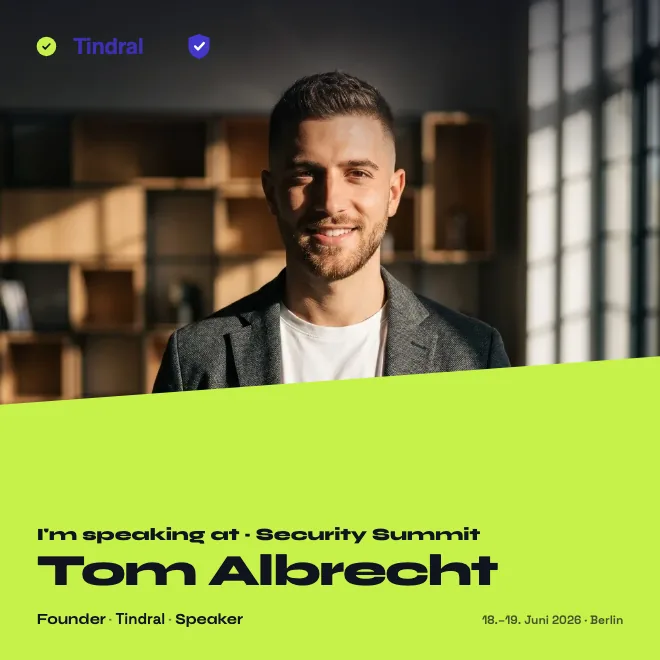
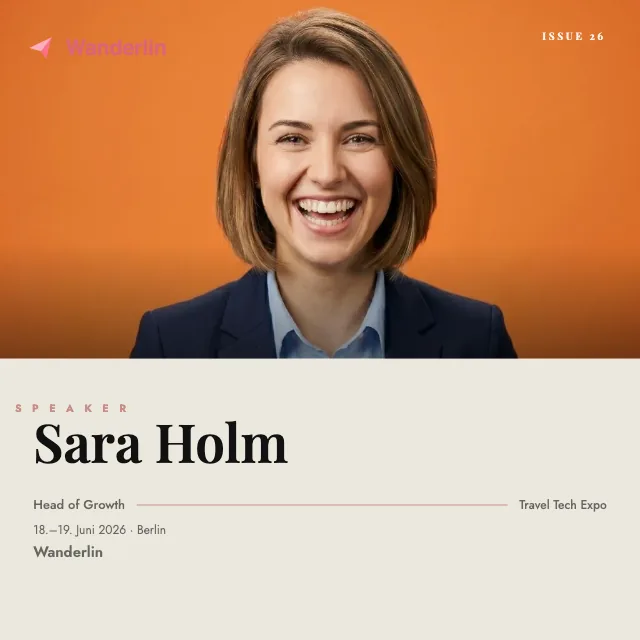
Once the names are set, the program itself becomes your content. Instead of squeezing every speaker into one crowded graphic, introduce them one after another, one person per post, with a sentence on why their topic belongs on your stage. Tag the person in the post. Then their network sees the announcement, comments and shares, and you reach people who would never have followed your own channel.
In parallel, it pays to set the event up on LinkedIn itself. Anyone who registers gets an automatic reminder, and later you can reach out to exactly those registrants. Build a little anticipation too: a look at the venue, a question that gets answered on stage, a first program item you reveal early. Each of these posts is another point of contact.
The strongest lever without an ad budget: the badge others post for you
Everything so far runs through your own channels and costs you time. The lever with the biggest effect sits elsewhere, with the people who are there with you. Every speaker has a network, every exhibitor does too, and no ad reaches those networks as credibly as the person themselves. The only question is how you make it easy for people to actually post. The background is covered in the guide Attention economy for events.
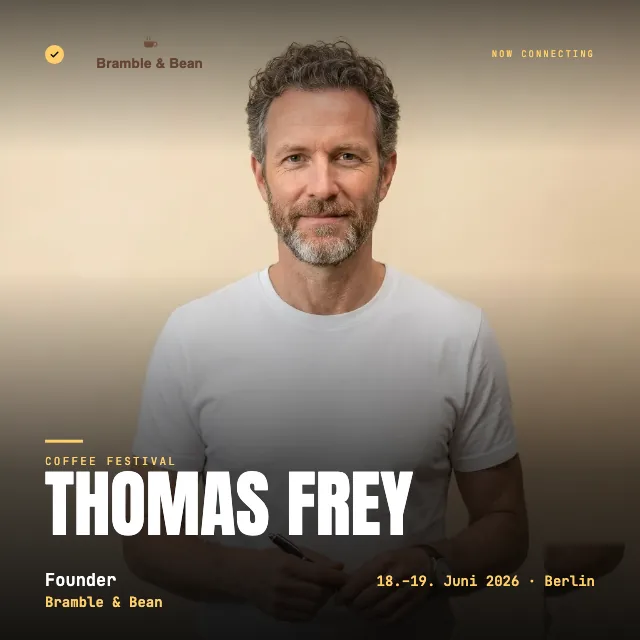
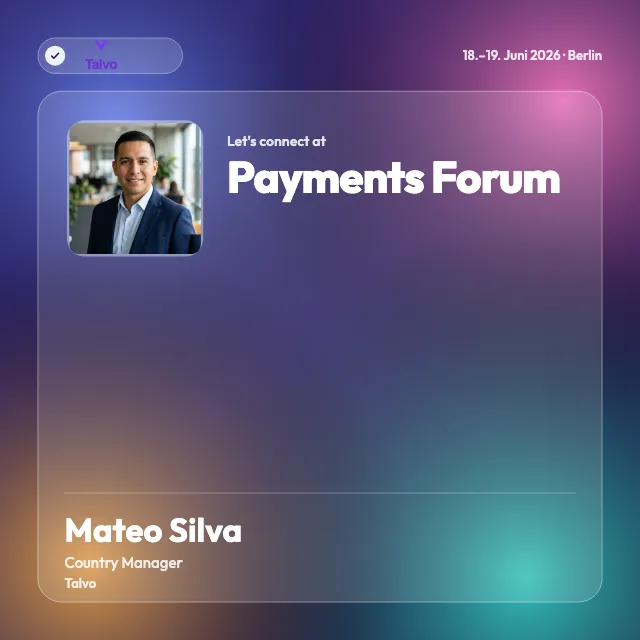
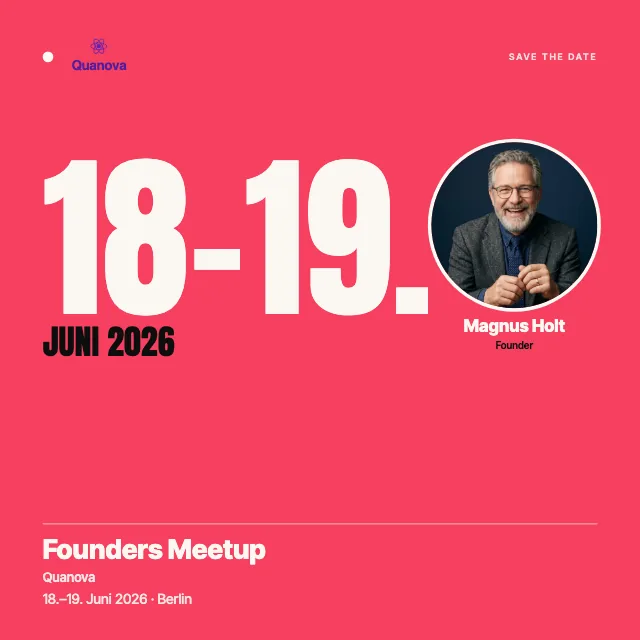
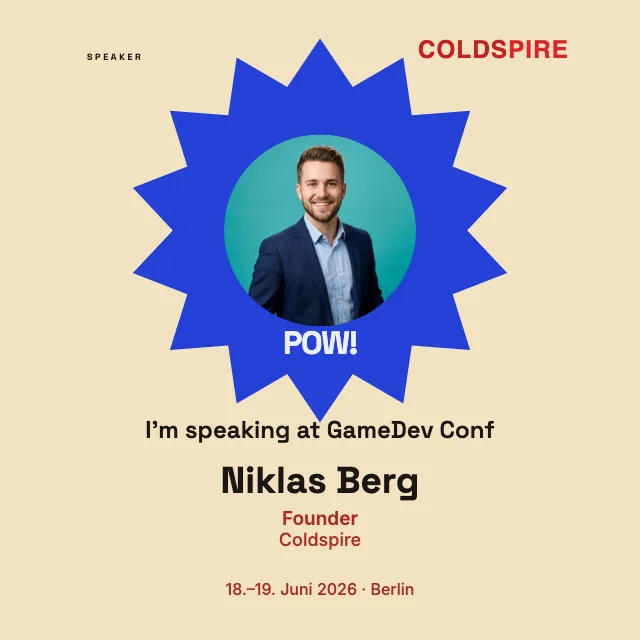
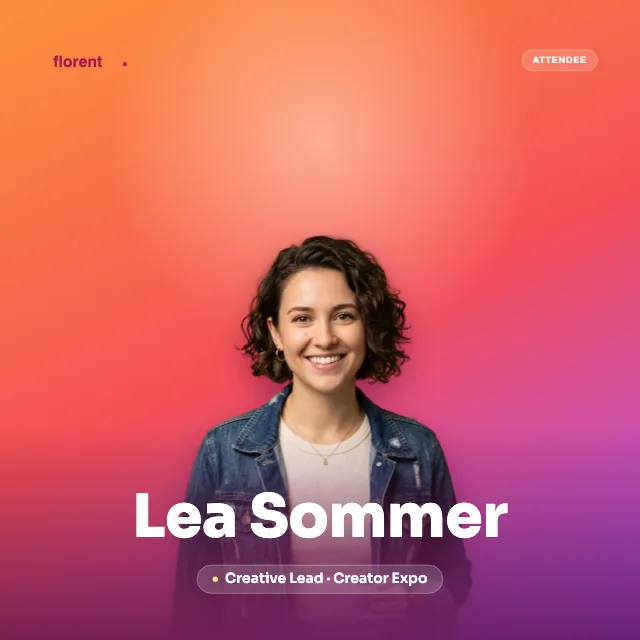
That is what shareable badges are for. You design a badge once in the look of your event, with your logo, title, date and colors. After that you only send a link. Whoever opens it adds their photo and name and downloads the finished image, ready for their next post. No one has to create an account, and you still keep control of the design, because the base layout comes from you.
Speaker badges and I’m speaking suit presenters, and We’re attending suits guests and exhibitors. Prepare them in the editor in 1:1, 4:5, 9:16 or 16:9 and share each prepared format.
The appeal for attendees is real. They show their network that they belong at a relevant event, and you gain reach in exactly the circles you are after. When you want to set up your first badge, the onboarding walks you through the setup step by step, from the layout to the link you send out.
A shared link can lead to several prepared badges. With an account, you can also use the roadmap for your planning. The dashboard guide shows where to start.
During the event: show live what is happening
On the day of the event, the tone shifts. What counts now is proof that something worth seeing is happening right here, more than any announcement. A full room, a strong quote from the stage, a reaction from the audience. Moments like these land because they are unstaged, and they leave everyone who isn't there with a quiet pang of regret.
Short, spontaneous posts straight from the room are the right tool for this. They can be raw, captured quickly and posted without much thought. Ask your speakers and guests to tag the event in their own posts; anyone who already had a badge in the feed shares the second impression all the more easily now. And put one person on your team in charge of posting for the day and nothing else, or the job gets lost in the bustle. Which live moments almost always work, and how to capture them in seconds, is covered on the page about posting live from your event.
After the event: stay memorable with the certificate
After a good event, people want to show that they were there. Most organizers leave that to chance. They send a thank-you message, maybe a recap, and then it goes quiet. Yet the week after the event is the moment when your name is still present and the attendees' networks are still receptive.
An attendance certificate holds on to that moment. To set one up and issue it, you as the organizer need a free account; your attendees need none. They open the redemption link, get a permanent verification page and add the certificate from there to their profile on LinkedIn, into the Licenses & certifications section, the same place as a course certificate. OneClickBadge opens the matching LinkedIn form already filled in, with name, organizer, date and credential URL, so no one has to type anything out.
The profile entry stays there for good, but it doesn't show up in the feed on its own. Anyone who wants their network to hear about it shares the certificate as a separate post as well. Only then does your event surface there once more, this time with the weight of an official confirmation.
It matters what a certificate like this is and what it is not. It is your confirmation as the organizer that someone took part, a certificate of attendance, as is common in many industries. LinkedIn only provides the feature and the profile section for it. Under the hood, it is a hosted credential based on Open Badges 2.0. That means the certificate is verifiable through a fixed web address, gets by with as little personal data as possible, and can be revoked if that becomes necessary.
The channels at a glance
Not every channel does the same job, and not every one costs the same. This overview sorts out which is good for what and how much effort each takes.
Personal profiles. The channel with the widest reach on LinkedIn, because posts from people travel further than those from a page. Purpose: closeness and trust, real conversations. Low effort when you bring your team and your speakers along and don't shoulder it all alone.
Company page. The official address of your event, useful as a reliable anchor and for the archive. Purpose: credibility and a place you can link to. Low effort, though organic reach usually stays modest.
Individual posts. The format for introducing your speakers, for recaps and for moments from the day. Purpose: building attention over time. Medium effort, since you need something new on a regular basis, but no budget at all.
LinkedIn's event feature. A dedicated spot for registrations, with an automatic reminder to everyone who signed up. Purpose: gather interest and reach attendees directly. Low effort to set up, but you should really make use of the pool of registrants afterward.
Paid ads. The only lever here that costs money. Purpose: target new audiences who don't know you yet. Medium to high effort, worth it above all when there is a ticket or a deal at the end that covers the spend.
| Channel | Purpose | Effort |
|---|---|---|
| Personal profiles | Closeness and trust, reach through real people | low |
| Company page | Official anchor and archive | low |
| Individual posts | Build attention over weeks | medium |
| LinkedIn's event feature | Collect registrations, remind automatically | low |
| Paid ads | Target new audiences | medium to high |
Common mistakes that cost reach
A few patterns keep coming up, and they cost noticeable visibility. The most common mistake is starting too late. If you post for the first time three days out, there is no time left to let the build-up work. Nearly as widespread is posting everything from the company page only. A page's reach is limited, while the voice of individual people travels further.
One common tip concerns the sign-up link: some teams put it in the first comment rather than in the post itself, on the assumption that the post then travels further. Whether that does more for you depends on your goal and your audience, so test both versions. Skip the wall of hashtags too. A few fitting ones are enough; the rest just looks cluttered.
And then there is the mistake you only notice afterward: preparing nothing that others can share. When your speakers want to announce that they are presenting but have to build a graphic themselves, few of them will. Give them a ready-made badge and a link, and good intentions turn into real posts. The same goes for following up. Without a certificate that people add with one click, the moment after the event fizzles out.
Related
Frequently asked questions
- Do I have to pay for reach on LinkedIn?
- No. The most effective part needs no ad budget: your own posts, and above all the badges your speakers, guests and exhibitors post themselves. With those you reach exactly the professional networks you care about, through credible senders. Paid ads can add to that when you want to target people who don't know you yet, but they are no substitute for organic visibility and certainly no requirement just to be seen at all.
- How early should I start promoting?
- Plan for roughly six weeks of lead time. Start with a plain first announcement so the date sticks, then slowly build on it, introducing your speakers and giving first glimpses of the program. That way your event keeps showing up in the feed over weeks, rather than once at the last minute. For large events, two to three months is fine too.
- Personal profile or company page?
- Both have their place, but the emphasis is on personal profiles. On LinkedIn, posts from people travel much further than those from a page. Use the company page as an official anchor you can point to, and let the actual outreach run through you, your team and your speakers. The page confirms; the profiles move people.
- Are LinkedIn event ads worth it?
- That depends on what your event is ultimately meant to achieve. If you sell tickets or promote something with clear business value, ads can make sense to reach people who don't know you yet. For a free event without ticket sales, organic posts and the shared badges of your attendees usually carry further than the budget would. Start organic, and add ads only once you know which message already lands.