“We're attending”: the badge that invites people to your booth
Your team is exhibiting at a trade fair, or you're attending a conference as guests. With a template from OneClickBadge you turn that into a badge your people post on LinkedIn to show: we're attending. Photo in, name in, done, with the invitation to your booth right below.

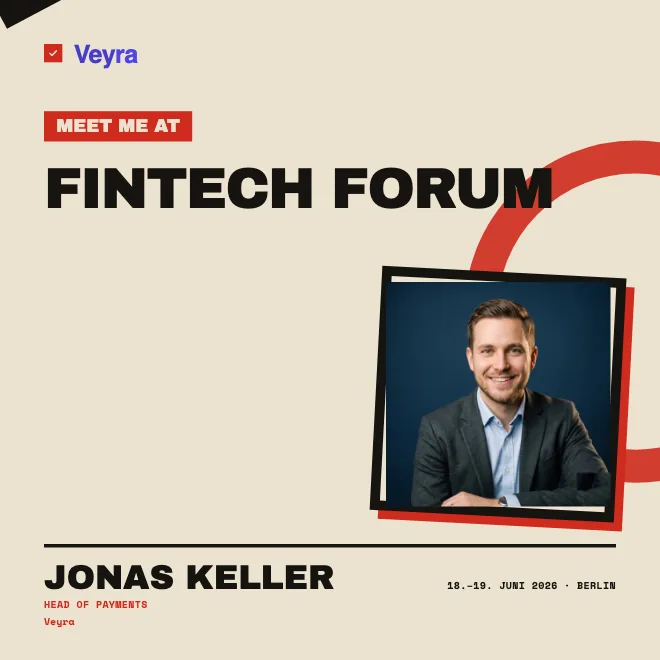
“We're attending” or “I'm attending”: both voices
There are two ways to announce that you're taking part, and both run through the same badge. “We're attending” is the company's voice. When your team exhibits at a trade fair, everyone on the booth team posts the same design, and six posts turn into a visible presence at the door. “I'm attending” is the personal voice. A single person announces that they're coming to a conference and speaks to their own network.
You can offer both wordings in the same design. To do that, mark the line “We're attending” as an input field while designing. Then each team member enters “We're attending”, “I'm attending” or a short wording of their own. If the field stays fixed, everyone sees the same line. For a booth team, the shared announcement is usually the stronger one, because it shows that the whole company is coming, not just one person happening to drop by.
Two posts to copy and adapt to your event, one for the booth team, one for individual guests:
We're at [EVENT] on [DATE]! You'll find us in hall [X], booth [Y]. Come by if you'd like to talk about [TOPIC]. Who else is going to be there? Message me. I'd love to connect. [HASHTAG]
I'll be at [EVENT] in [LOCATION] on [DATE]. I'm especially looking forward to [TOPIC/SESSION]. Who else is going? Get in touch and we'll meet up on site. [HASHTAG]
The badge as an invitation to your booth
For exhibitors, a post with a badge is above all one thing: an invitation. The design says where to find you, that is the hall and booth number, and when someone should be there, at the product demo at two, for example. Anyone who sees your post and is heading to the fair anyway now has a concrete reason to stop by. And anyone still undecided gets a name and a face to remember at the booth.
This works because the posts come from personal profiles, not from the company page. A colleague's post with a photo lands among real contacts and gets read. How to build such a presence and write the post text is in the guide promote your event on LinkedIn.
Templates you adapt to your event
You don't start with a blank page. In our template gallery you'll find ready-made layouts for trade fairs, conferences and company appearances, from a calm frame to a bold color field. You pick one, swap the logo, title and colors for your event's, and in a few minutes you have a design that looks like you. Extras like your booth number or a short slogan have room too, without the design looking cluttered.
Set the format in advance: square (1:1), portrait (4:5), story (9:16) or landscape (16:9). For teams with multiple roles or channels, offer different finished badges through one link.
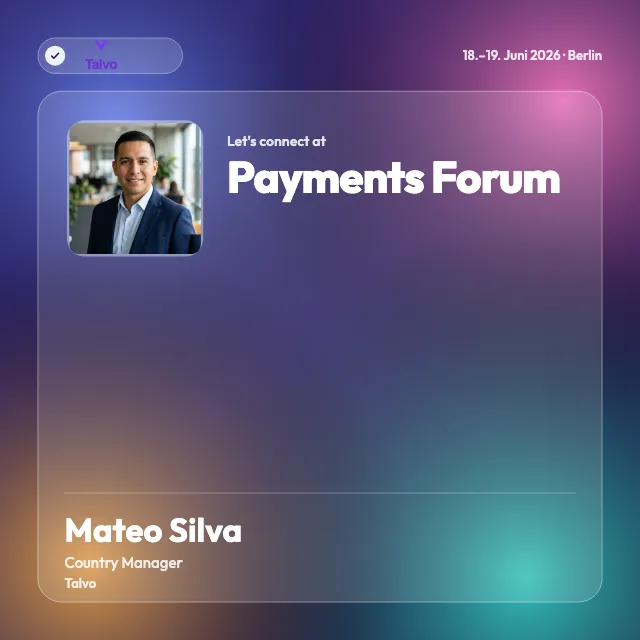
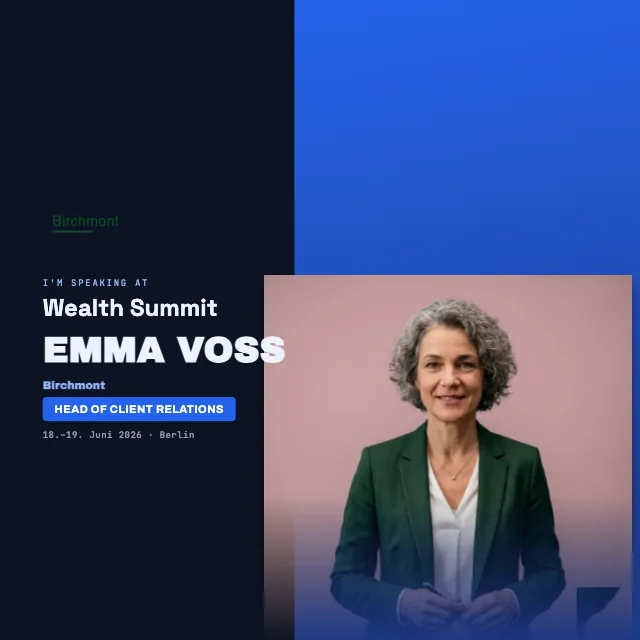

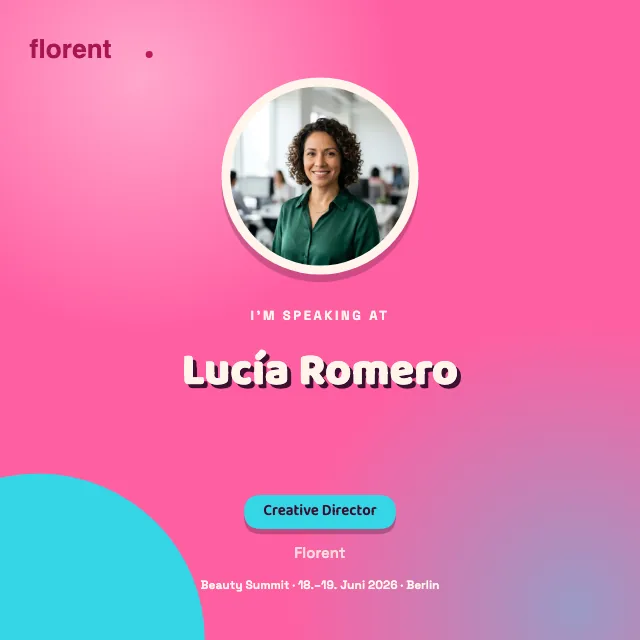
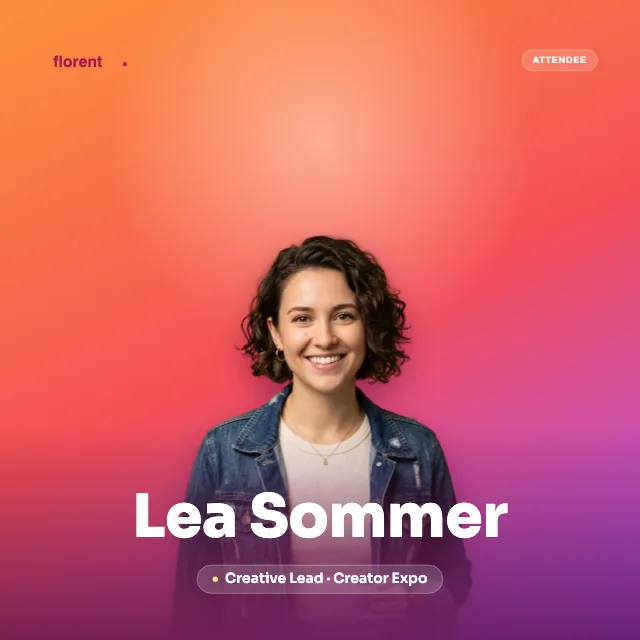
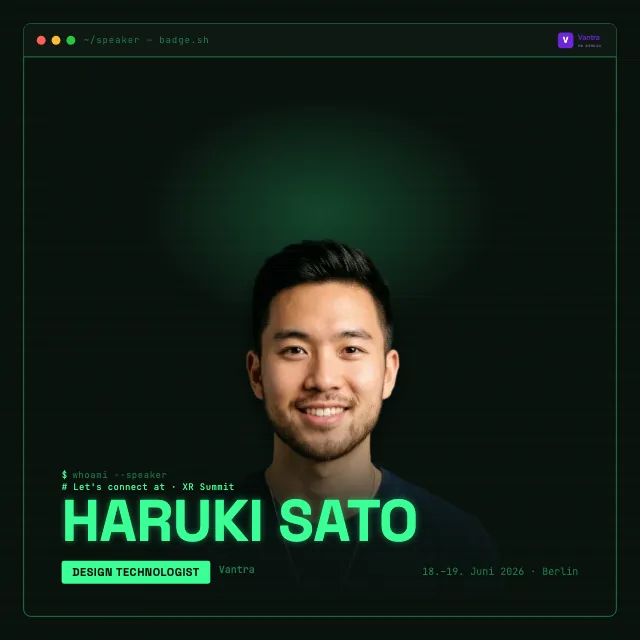
Made in three steps
The process is short. First, you design the badge in the look of your event, with logo, title, date and your colors. Second, you share a link with your booth team or your guests, by email or in a chat. Third, each person opens the link, uploads their photo, types their name and posts.
Important for everyone who gets the link: they need no account with us and don't have to set anything up. Whoever has finished their badge goes straight to LinkedIn and publishes. As the organizer, you start the whole thing through the setup of your event. And if the term is new to you: everything a LinkedIn badge can be is explained on the create a LinkedIn badge page.
Not what we mean: the name tag for the reception desk
A word on the distinction, so it is clear what this is about. This is not a printed name tag for the reception desk and not a template to print and pin on. Tags like that belong on your clothing on site and stay in the hall.
The badge here is digital and lives before the event, in the post on LinkedIn. Its job is to get people to come at all, well before anyone needs a label on site. If you're looking for name tags to print, another tool will serve you better. For reach ahead of the trade fair, you're in the right place.
For the lanyard at reception, stays on site.
For posting on LinkedIn, reaches far beyond the booth.
After the event: the attendance certificate
Beforehand your team invites people to the booth, and afterward you give guests something lasting: an attendance certificate. Through a link they add it to their profile with one click, in the Licenses & certifications section. That way you accompany your trade fair presence from the invitation to the credential, all in the same signature style. That the credential comes from you and how it can be verified is explained on the certificate page.
Related
Frequently asked questions
- Is this free?
- Your guests and your booth team pay nothing and need no account. They open the link, make their badge and post it on LinkedIn. As the organizer you create the event and try the badge in full before you commit; anything beyond that is shown when you set it up.
- Does the team need an account?
- No. The booth team and guests need no account. You can also create the badge without an account and manage it through your personal management link. You only need an account for account-based features, especially when you want to create certificates afterward.
- Does this work for several people?
- Yes, that is exactly what it is for. You share one link, and each person makes it into their own badge with their own photo and name. On a booth team, everyone posts the same design that way, each from their own profile.
- Does our company logo go on it?
- Yes. You upload your logo and place it on the badge, along with your colors, the event title and the date. The design then looks like your company and the event, and it won't read as someone else's template.