“I'm speaking at”: the template your speaker posts themselves
A talk only lands once someone announces it. That is exactly what this graphic is for: your speaker drops in a photo and name and shows they're taking part, in the look of your event. No account, no download folder, one post that their contacts actually see.

Visibility that comes from the speaker themselves
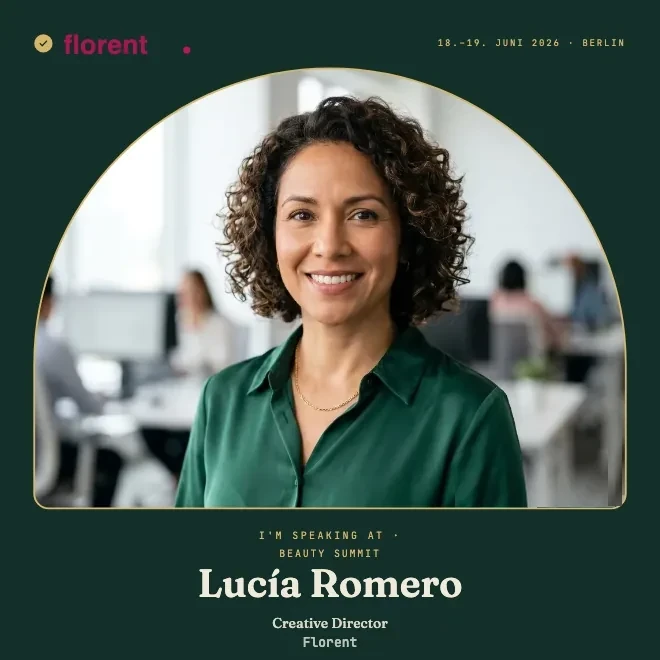
Speakers have an audience you don't have. Their colleagues, former clients, the industry that has followed them for years. When Lucía announces her talk, it reaches people who would otherwise never have heard of your event. That is exactly why a graphic she is happy to show is worth it.
The line “I'm speaking at” turns taking part into an announcement from the stage, and that is meant to be seen. People share something like this out of pride. What you get out of it is reach that looks like real people rather than an ad.
If you want to take the idea wider, the speaker badge page has the whole process for everyone who takes the stage at your event.
How the badge looks in the post
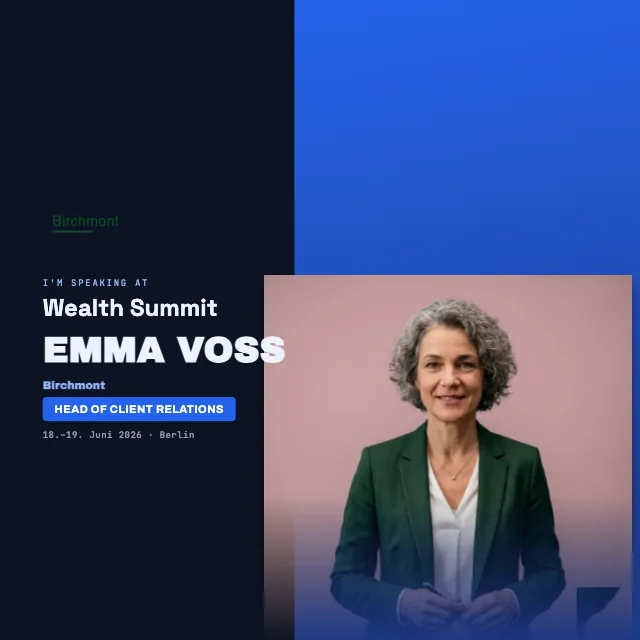
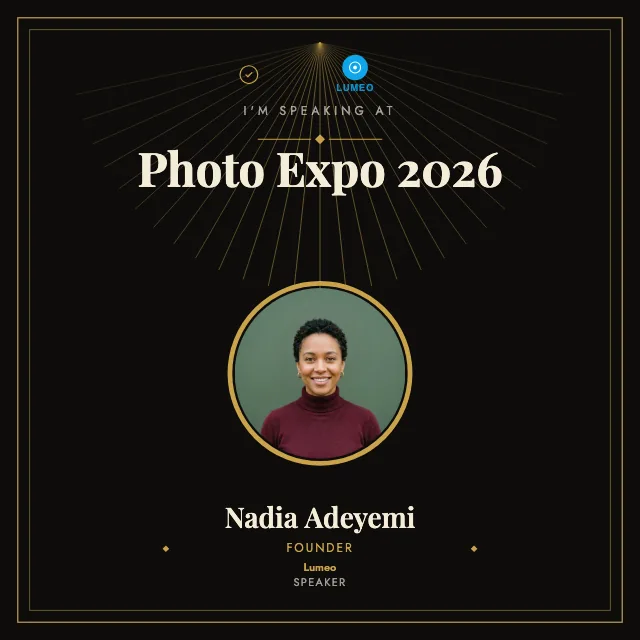
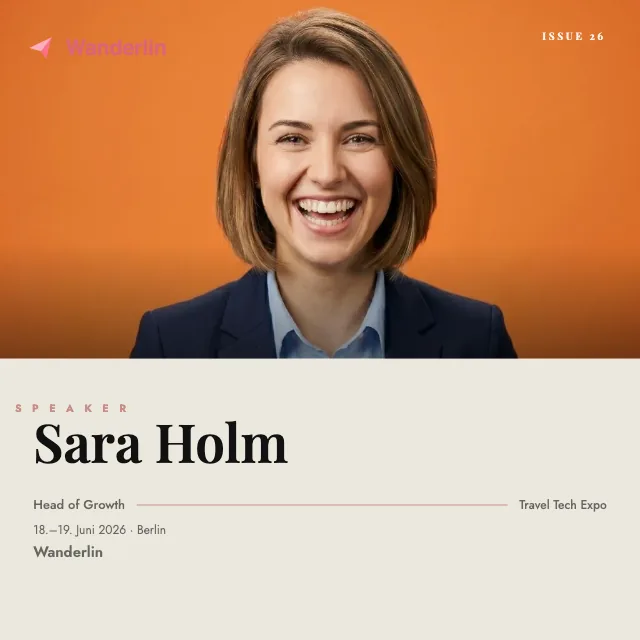
The post shows a square or portrait image. Up front the speaker's photo, cut out or in a frame. Next to it the name, the role and the line that announces their talk, followed by the title of your event. The date and place sit below, your logo is in the corner, and the colors are yours.
For Lucía it reads like this: her photo, below it Creative Director at Florent, and in large type the note that she is speaking at the Beauty Summit. Anyone who sees the post understands in a second who is appearing and when. The badge carries your signature style without Lucía having to design a thing. She got a finished graphic and only added a photo and name.
The editor offers four aspect ratios: 1:1, 4:5, 9:16 and 16:9. Prepare the variants you need in advance. Lucía receives either the direct speaker link or a selection of prepared badges.
Made in three steps
You design the badge once, in the look of your event, with logo, title, date and your colors. That is the only part that is on you, and it takes a few minutes. The onboarding shows you how to start, step by step.
After that you send Lucía a link. She opens it, uploads her photo, types her name and role, and sees the finished graphic right away. One click downloads the image, and a second opens the post on LinkedIn. There is nothing left for you to do on your end, and Lucía needs neither an account nor any instructions.
If something in the program changes, you swap out the template and the next speaker gets the new version already. You maintain one design, not ten separate files.
Templates for every style, from plain to eye-catching
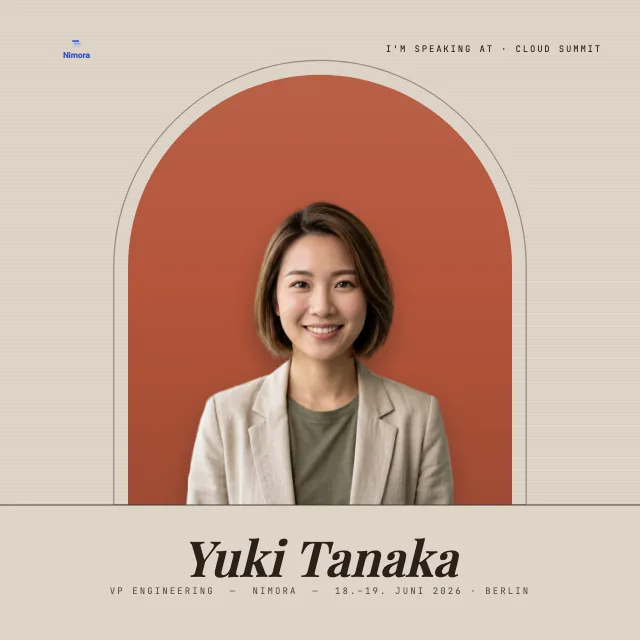
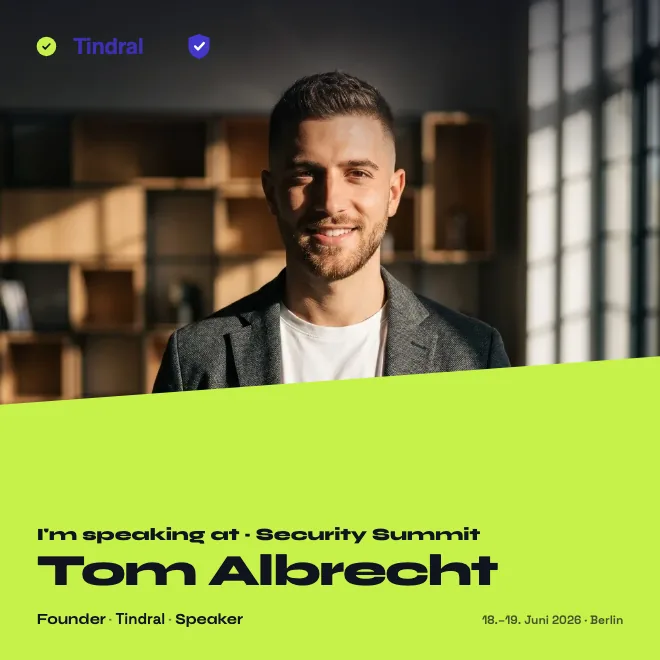
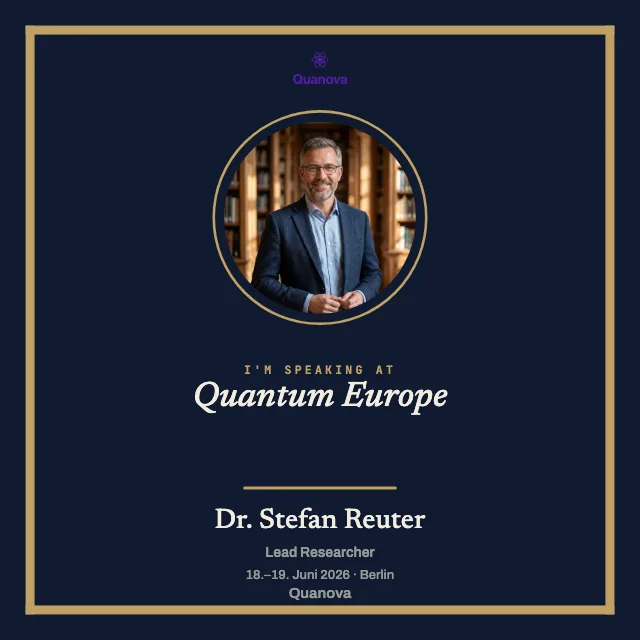
Not every event looks the same, and not every speaker likes it loud. So there are templates from calm to bold. A plain layout with plenty of white space suits a specialist congress. A template with large type, a gradient and a bold accent color suits a festival like the Beauty Summit.
There is a lot of room between calm and loud. A dark template with a large photo feels refined, while a light one with clean lines feels serious. If you want a younger look, you add color and shapes. You don't have to commit before you see how it looks with your logo and your colors.
You pick a template and replace the colors, font and background until everything fits your brand. If you want to plan the announcement beyond the single badge, the guide promote your event on LinkedIn helps with the rest, from the right timing to the text under the image.
Not the same as an appearance in LinkedIn Events
A quick word on the distinction, because the terms are similar. LinkedIn has its own events feature, where an event runs directly on the platform and speakers are listed there. That is a different thing from our graphic.
Our template is tied to no such entry. It is an image your speaker posts as an ordinary update, wherever your event takes place, online or in a hall. You don't have to create an event on LinkedIn, and the speaker needs no role in any system. They post a photo with a clear statement, and that is all it is.
After the event comes the attendance certificate
The announcement first, the proof afterward. After the event you issue an attendance certificate, and once again a link is enough for Lucía to add it to her profile, in the Licenses & certifications section. That closes the loop: first she announces her talk, then the attendance sits firmly on the profile. What is behind the credential and how it can be verified, you can read on the certificate page.
Related
Frequently asked questions
- Is this free?
- There is no charge for your speaker. They need no account and pay nothing. They just post. As the organizer you design your first badge in full before you commit; anything beyond that for your event is shown when you set it up.
- Who needs an account?
- Your speakers need no account. As the organizer you can create the speaker badge and manage it through your management URL. For extra account features and issuing attendance certificates later, you need an organizer account.
- Can the photo be swapped?
- Yes. If the first photo isn't right, the speaker simply uploads another, and the graphic updates right away. They see the preview live and post only once the image is right. The name and role can be changed at any time too.
- Does this work for several speakers?
- Yes, and that is exactly what it is for. You design one badge and send the same link to everyone who takes the stage. Each person adds their own photo and name, while the layout and look stay the same for all. That way ten speakers' announcements read as one series, each badge clearly part of the same set.